Our smart light apps are free to download, easy to use, and offer all the features you love in the Philips Hue system.

Control lights with your phone
Official Philips Hue apps
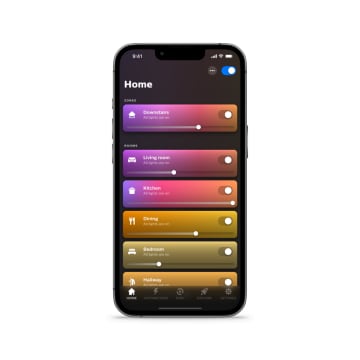
Hue app
Control all your Philips Hue lights, whether you use the Bridge or Bluetooth. The main app for the Philips Hue system, it allows you to turn your lights on and off, create automations and timers, sync your lights to your TV and music, control your smart home security system, and even upgrade your Bluetooth system by adding a Hue Bridge.



Hue Sync desktop app
The Hue Sync desktop app was made especially for computers. A favorite of gamers, this app pairs your color-capable Philips Hue lights with whatever you’re playing on your computer screen.

Mac Big Sur and up

Windows 10 (x64)
Hue Sync is only available to download on desktop
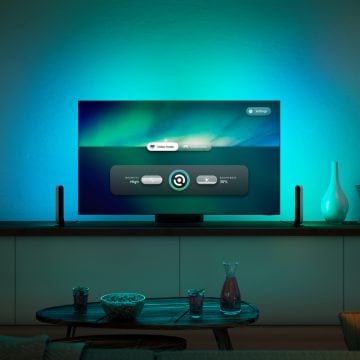
Hue Sync TV app
Sync the lights in your home theater to anything you watch on TV — no matter how you play it — with the Hue Sync TV app. Available on 2022 and newer Samsung TVs.1
1. Available on 2022 and newer Samsung QLED TVs in the Q60 or higher range (support for Q700 coming soon). If your TV supports the Hue Sync TV app, it will appear when you search for it in Apps. Alternatively, check the product specifications of your TV model on www.samsung.com.
*Sign up and save 15%. You should receive your code within 1 hour after your subscription, but processing time may vary. This promotion is not valid on email addresses that are already enrolled in the Philips Hue newsletter. Read the Terms & Conditions for this promotion.